 P4A Documentation
Submitting an idea
Ideas are a lightweight way to ask for a policy or ruleset you'd like to see.
Overview
An idea is a lightweight way to ask the community for a policy or a ruleset you'd like to see, without authoring one yourself. If you have a use case or a governance need but don't have the time or technical background to build a working policy, you can file an idea and let others in the community pick it up. An idea can ask for a gateway policy or a governance ruleset; see Requesting a ruleset. File one from the Ideas page, and track yours under My Contributions — that page lists both the policies and the ideas you've submitted, side by side.
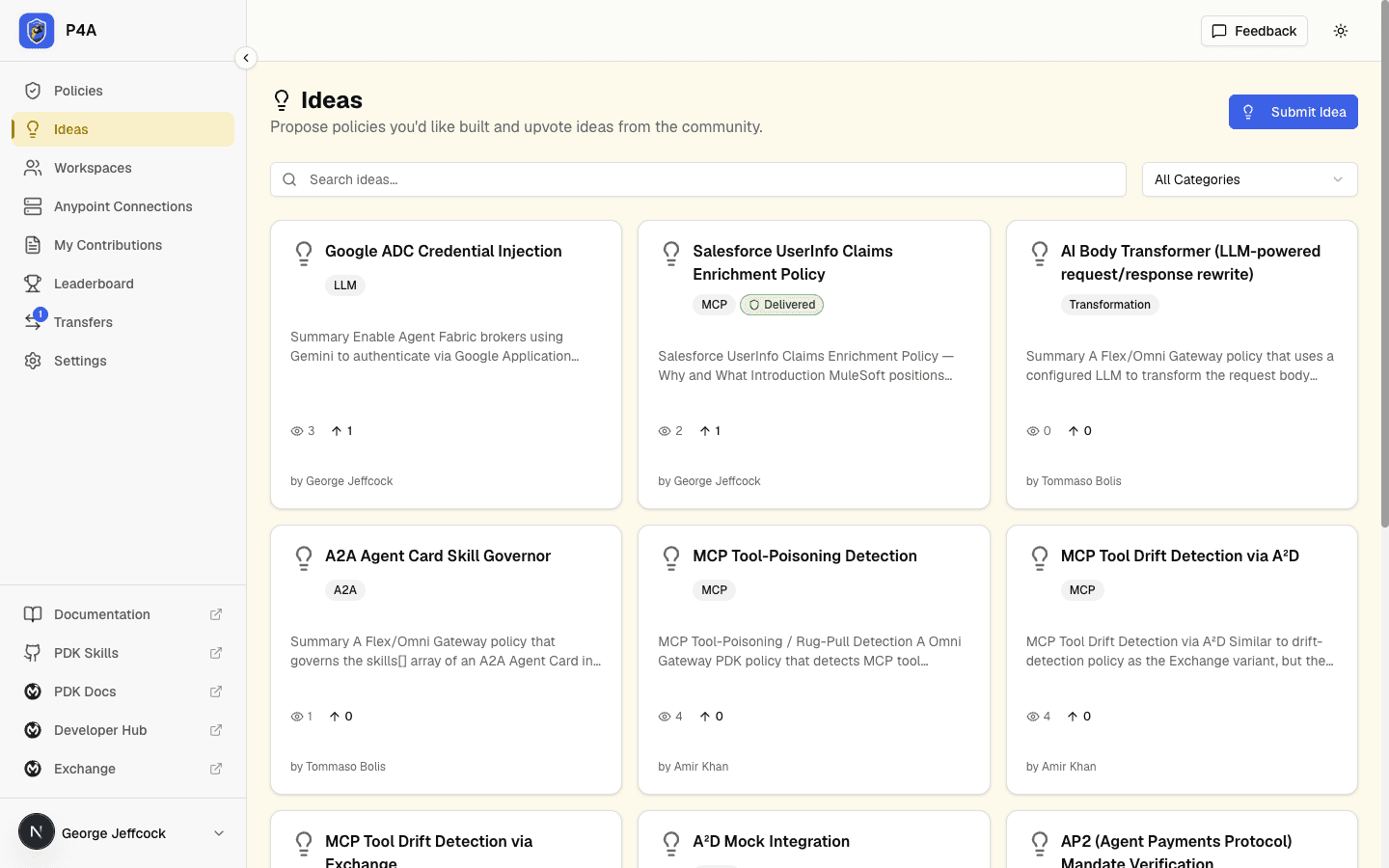
When to file an idea vs a full submission
Use an idea when you want to say "I wish this existed" — you describe the problem, the desired behavior, and any relevant context, then let the community decide whether to build it.
Use a submission when you have a working policy in hand — you've authored the Rust code, tested it locally, and you're ready to contribute it to the registry for review and publication. If you have a working ruleset, submit the ruleset instead.
Ideas lower the barrier for non-developers to shape the policy ecosystem. If someone picks up your idea and builds it, you'll be credited as the original requester when the policy or ruleset is published.
What an idea includes
An idea captures:
- Title — a descriptive, concrete summary of the policy you want.
- Category — optional tag like security, compliance, or routing to help with discovery.
- What should deliver this? — Policy (a gateway policy that enforces it at runtime) or Ruleset (a governance ruleset that checks API specs). It defaults to Policy. It's a hint for whoever builds the idea, not a restriction: a ruleset can still deliver an idea that asked for a policy.
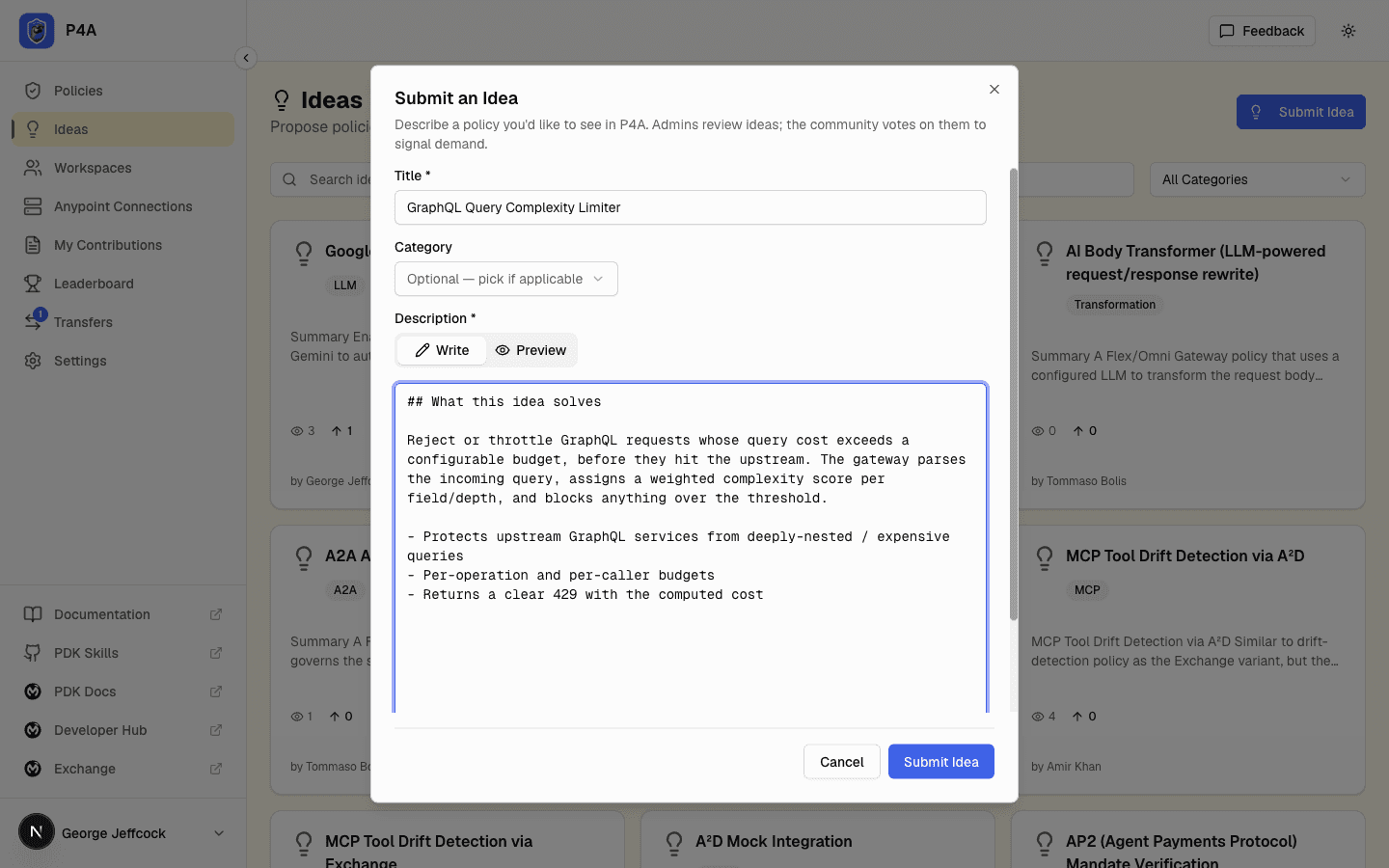
- Description — the problem you're trying to solve, the desired behavior, and any relevant context. Markdown is supported.
The form is quick to fill out, and your idea appears in the public Ideas page where contributors can browse, comment, and claim ideas to implement.
Lifecycle states
Every idea moves through these states. Unlike policies, ideas don't have a separate "submitted" gate — every new idea lands directly in under_review so it's queued for an admin to triage.
                       ┌────► needs_improvement ──── (you edit, it goes back to under_review)
                       │
                       ├────► draft ──── (you recalled it; edit, then resubmit to under_review)
                       │
new idea ► under_review┤────► approved ──┬─── visible in the public Ideas tab
                       │                 │
                       │                 └─► delivered ── a published policy or ruleset was built for it
                       │
                       └────► rejected
An approved idea may also show as partially delivered when one or more policies or rulesets cover part of it but none delivers it in full.
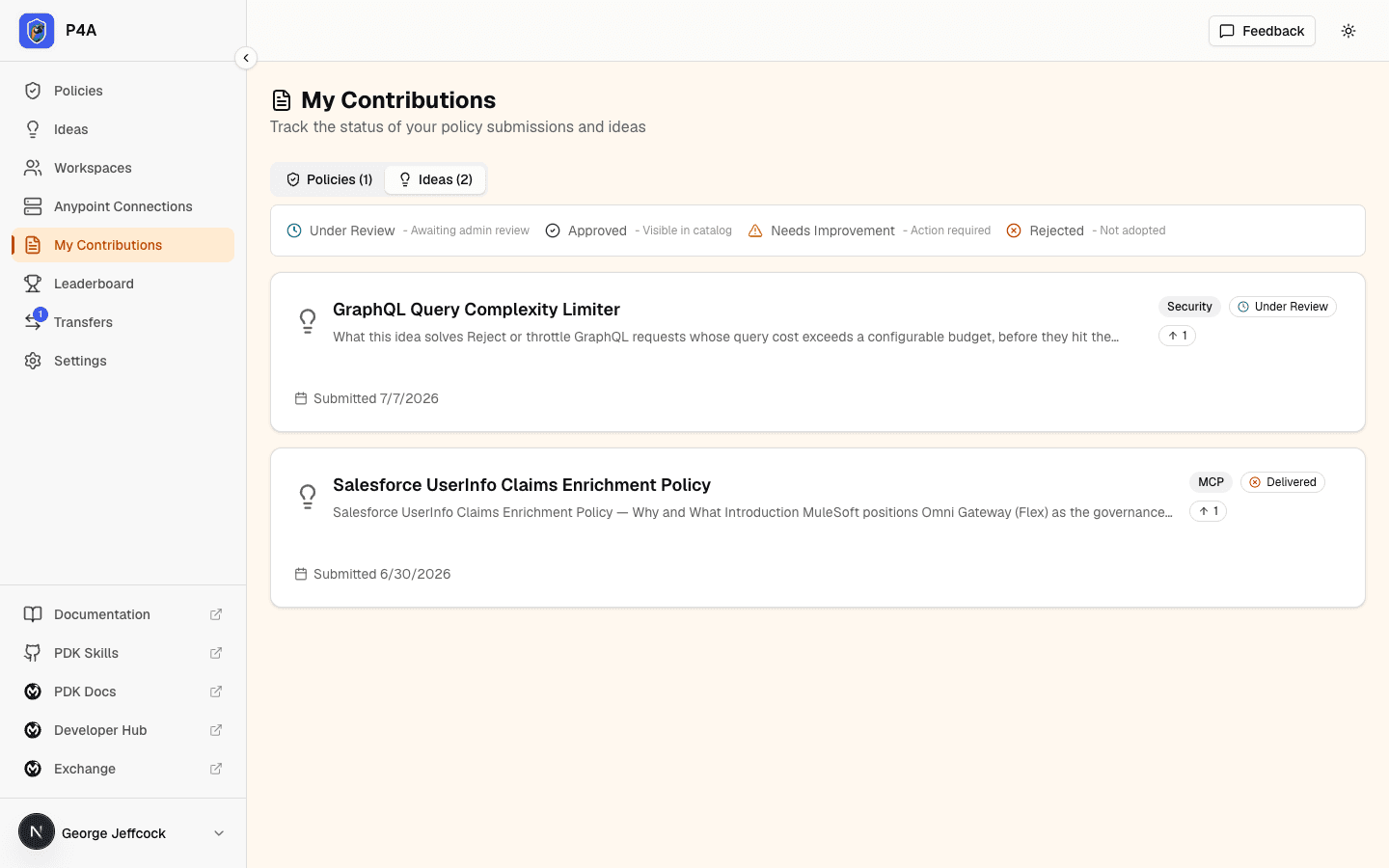
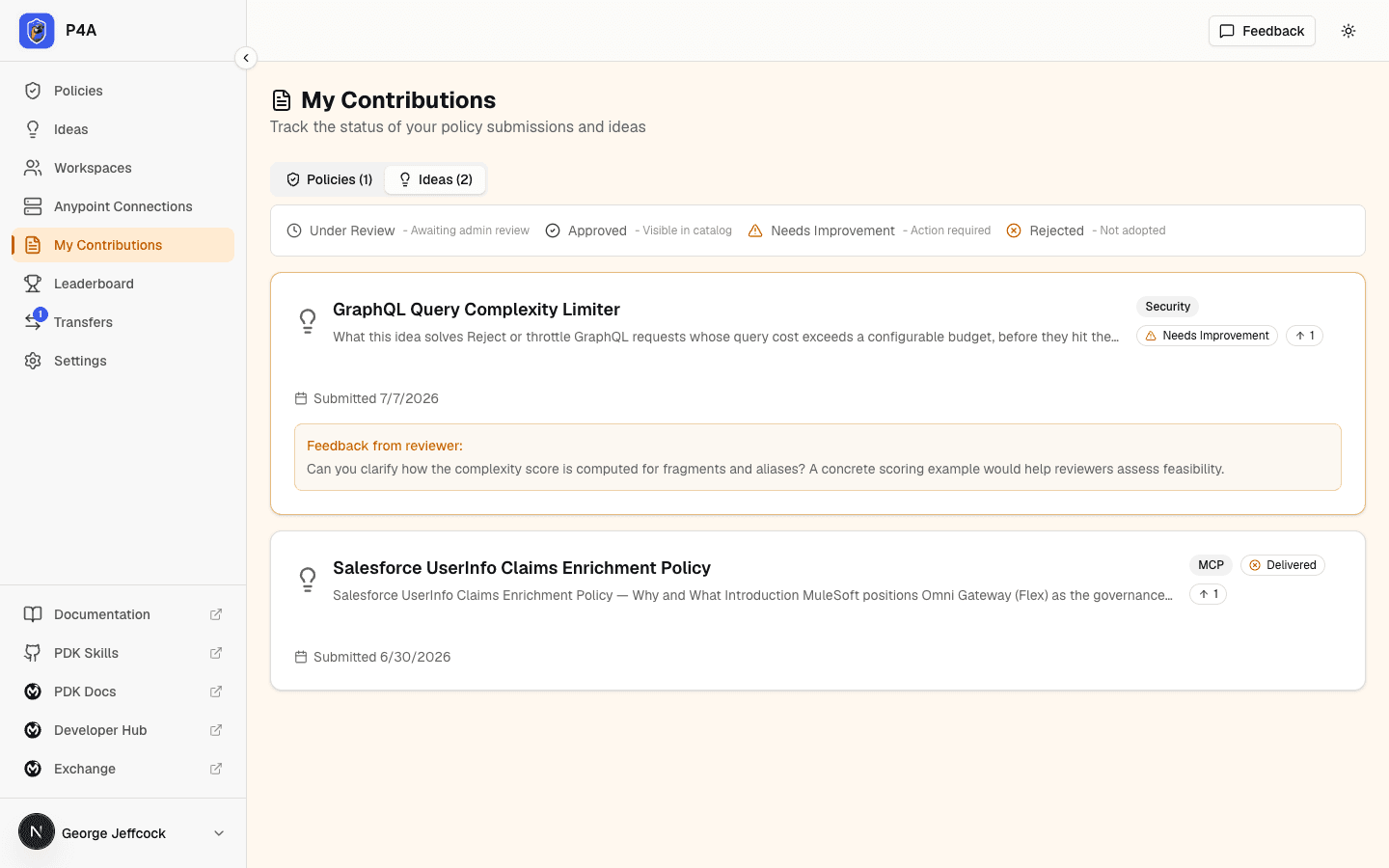
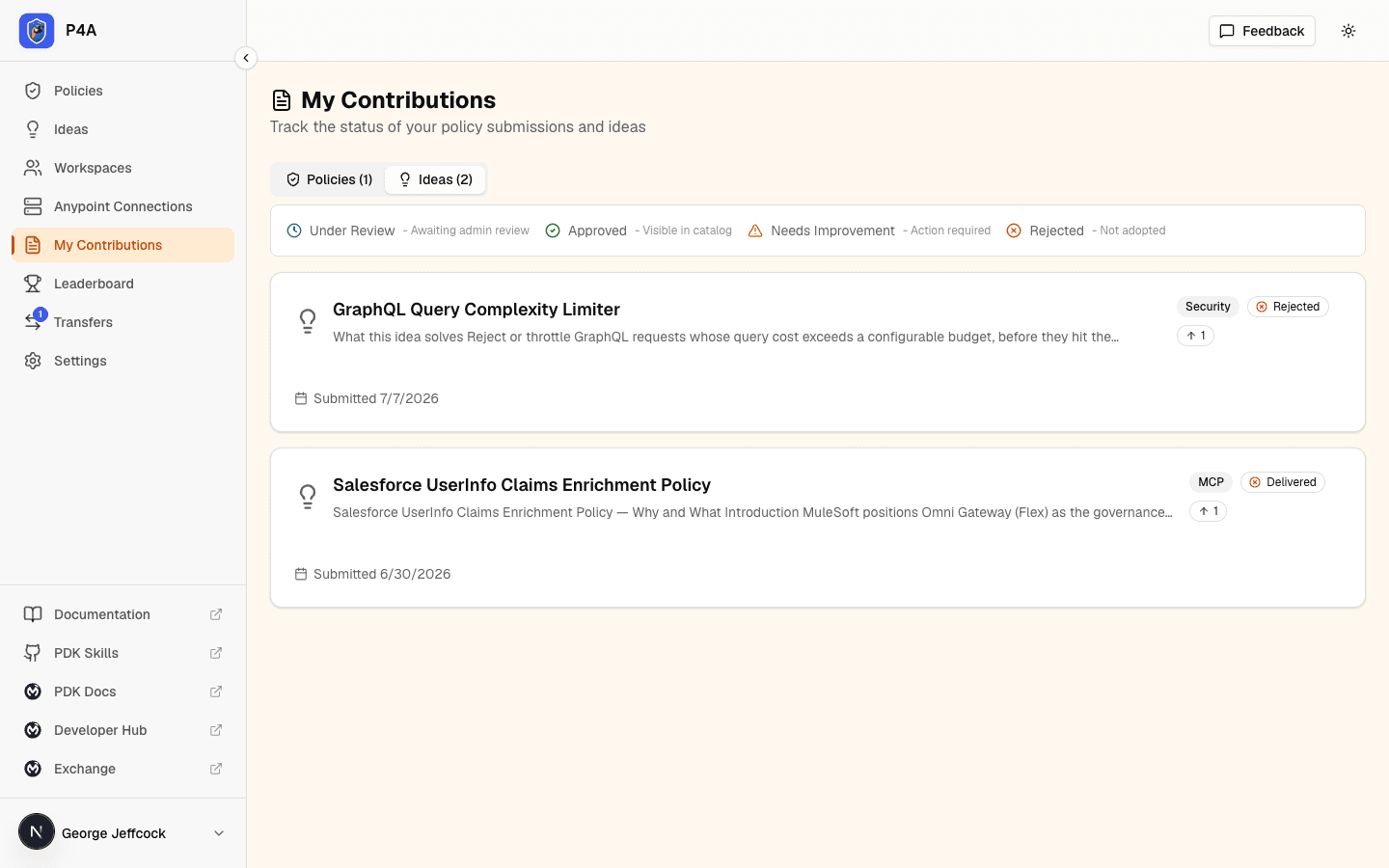
The screenshots below all show the same example idea — GraphQL Query Complexity Limiter — at different points in its lifecycle, so you can see exactly how the same card looks as the badge and feedback change.
under_review
Every idea starts here. It's not yet visible in the public Ideas page, but admins can see it and triage. While the idea is under_review, you can't edit it in place — but if you spot a mistake or want to revise it before an admin looks, you can recall it. Recalling pulls the idea out of the review queue and back to an editable draft (see below); your votes and comments are preserved. You also regain the ability to edit the title, description, category, and What should deliver this? choice if an admin sends it back as needs_improvement.
draft
You recalled the idea from review. A draft is private to you — it's not visible in the public Ideas page and it's out of the admin review queue — and fully editable. Revise the title, description, category, and What should deliver this? choice, then resubmit to send it back to under_review for triage. Your existing votes and comments carry over unchanged. This is different from needs_improvement: a draft is a change you chose to make, with no reviewer feedback attached.
needs_improvement
The admin has sent the idea back with feedback — usually a vague description, an unclear use case, or duplication with an existing idea. The feedback appears on the idea detail page as a feedback history: every round the idea was sent back is listed newest-first, each with the reviewer's note and when it was sent, so you can see how the guidance evolved across resubmissions rather than only the latest note. Update the idea and the next save flips it back to under_review for re-triage.
approved
The admin has accepted the idea. It's now visible in the public Ideas page where the community can browse, upvote, and claim it for implementation.
Once an idea has been reviewed, its detail page shows a Reviewer card in the overview row — next to Votes, Submitter, and Submitted — naming the reviewer who made the decision and when. This gives every reviewed idea a clear provenance trail alongside who submitted it.
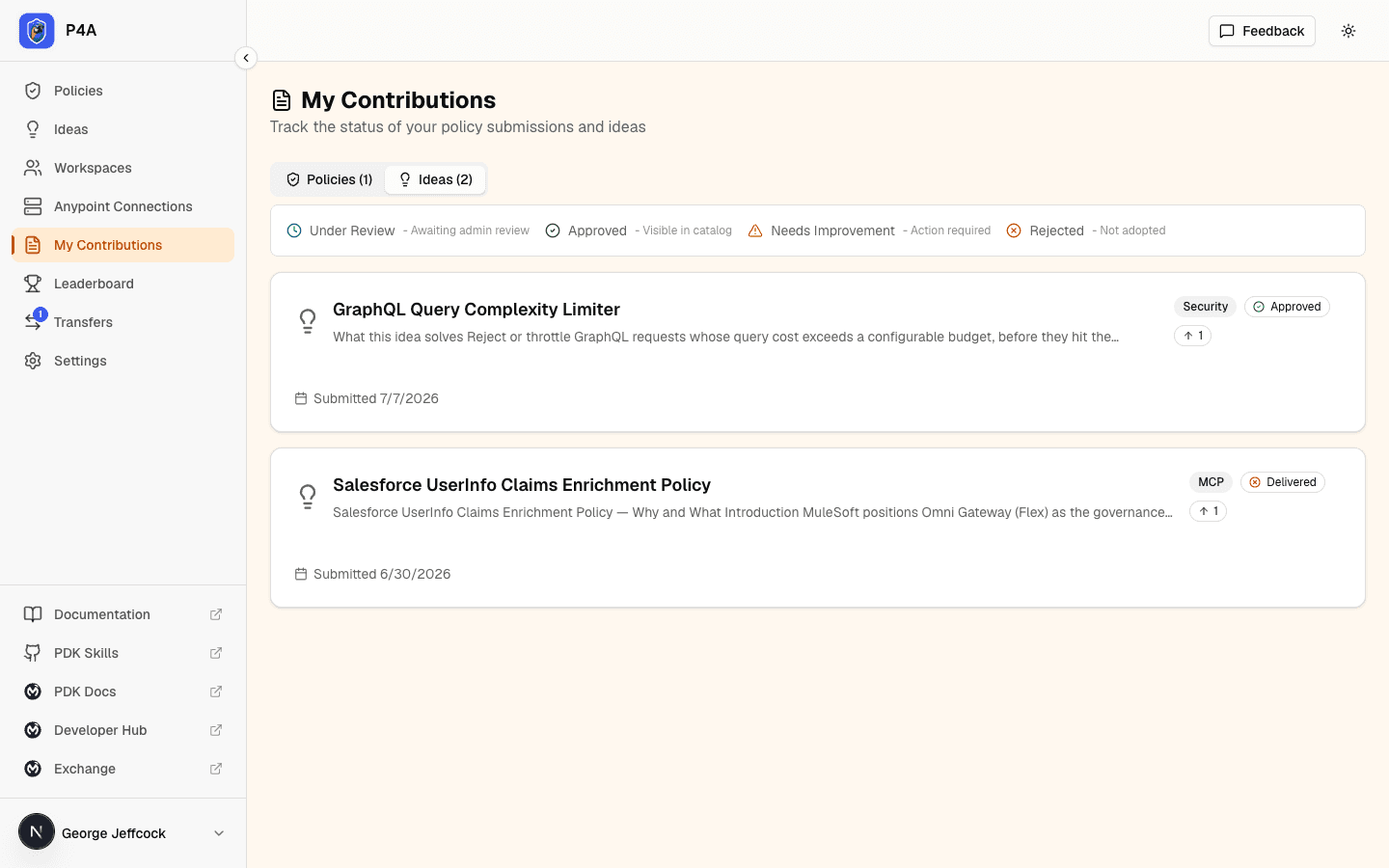
delivered
A contributor built a policy or a ruleset for the idea and it was published. An idea can be delivered by more than one policy or ruleset — a broad idea is often satisfied by several, each covering a slice, and it can mix policies and rulesets — just as one policy or ruleset can deliver several ideas. The idea flips to delivered once a policy or ruleset fully delivers it (or an admin marks one as completing it), and you — the original submitter — get an email when the first such policy or ruleset is published. The Delivered by area of the idea's detail page lists every policy and ruleset delivering it, each tagged Policy or Ruleset and showing whether it delivers the idea in full or in part. Delivered ideas stay visible in the Ideas page with their badge so the demand-to-delivery trail is preserved.
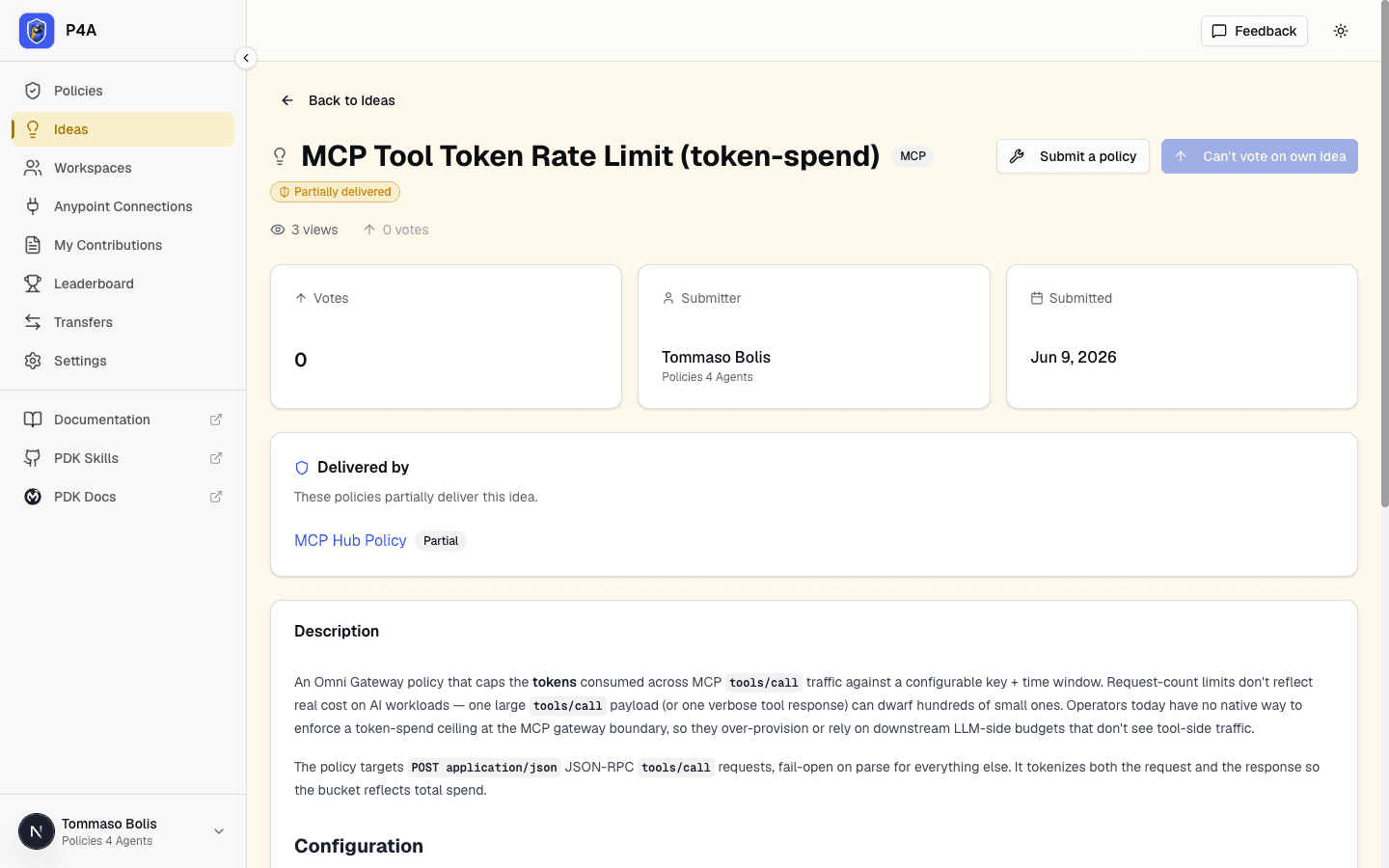
An idea can also be partially delivered. When policies or rulesets cover only part of the idea (all partial coverage, none marked as completing), the idea shows a Partially delivered badge and stays open to further delivery. The idea's detail page lists the policies and rulesets contributing partial coverage, and the submitter is not yet notified.
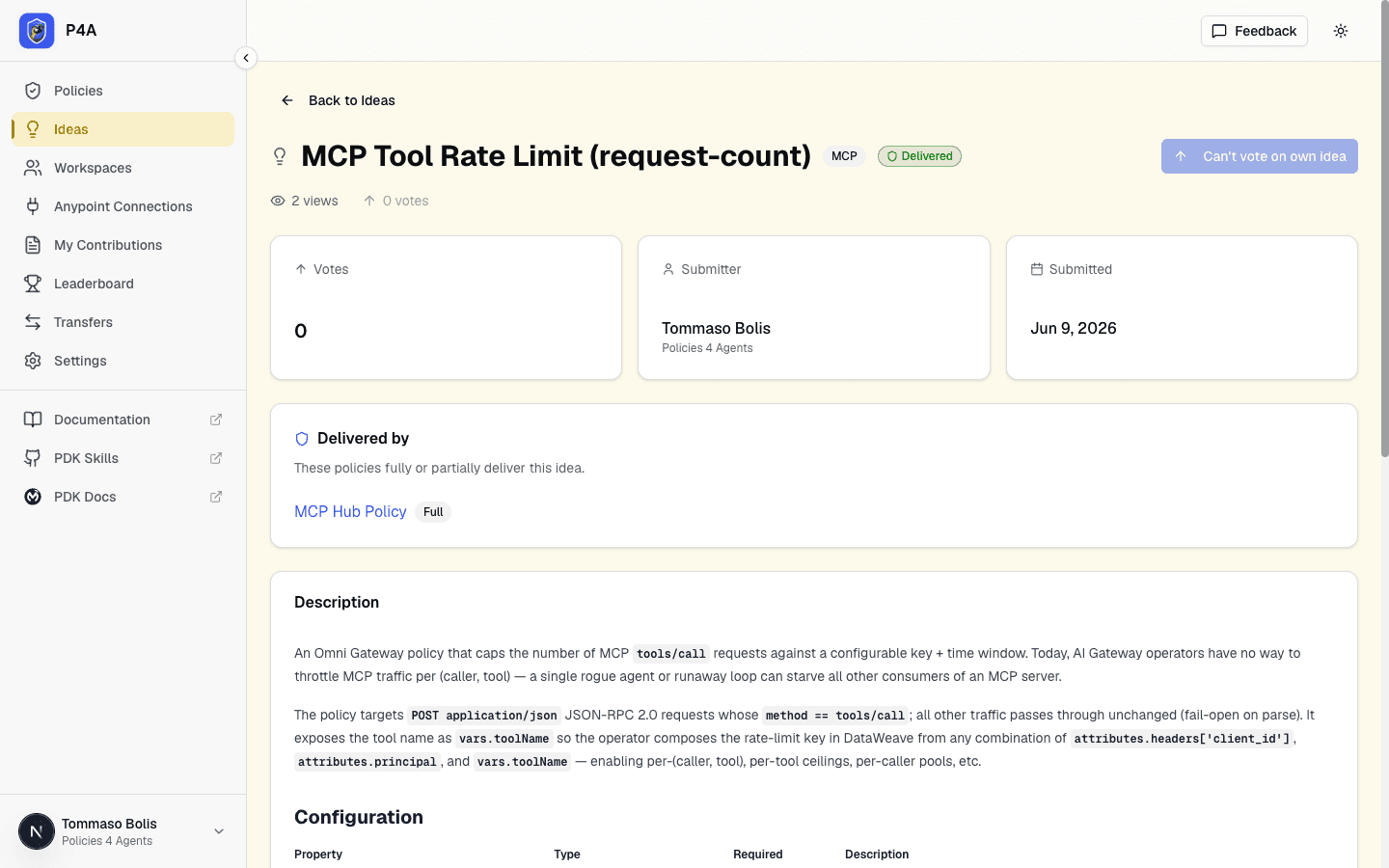
When only part of the idea is covered, the same Delivered by card lists each contributing policy with a Partial coverage tag and the idea keeps its Partially delivered badge.
rejected
The admin has decided the idea won't be tracked further — typically because it duplicates an existing approved idea or sits outside the catalog's scope. The idea is hidden from the public Ideas page.
Community triage
Once your idea is approved, the community can upvote it, ask clarifying questions, and propose implementation approaches. Platform maintainers may tag it with labels like good first policy to help new contributors find approachable projects.
The upvote button lives on each idea's detail page. You can't upvote your own ideas — the platform enforces this at the database level so the vote count stays an honest signal of community demand. The screenshot below is the Cache Control with Redis idea, viewed from an account that didn't submit it (so the upvote button is enabled).
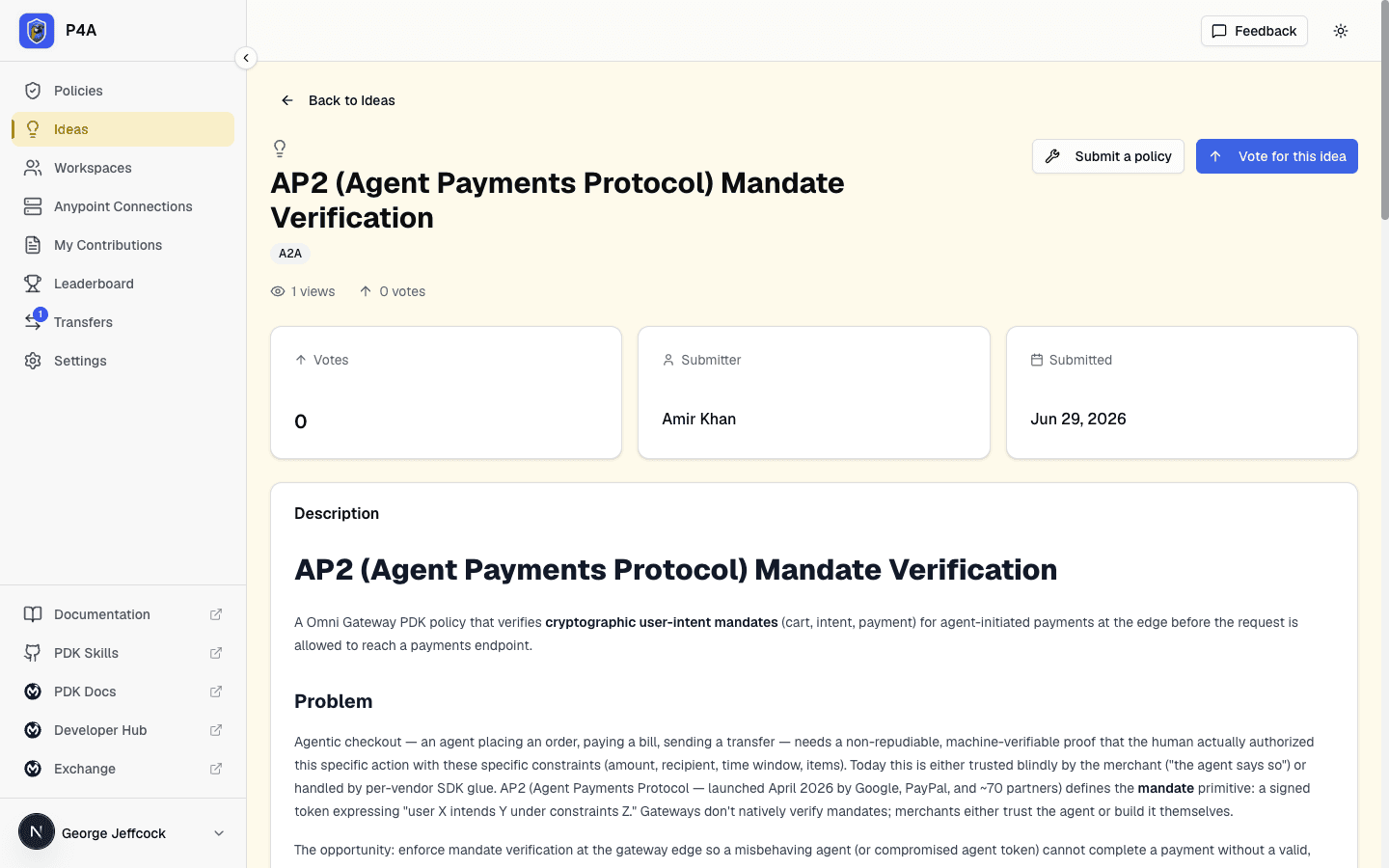
If your idea gains traction, a contributor will claim it, build the policy or ruleset, and submit it through the standard review process.
Transferring an idea to another user
If you're the idea's owner, you can hand it to another registered P4A user — useful when someone else picks up the request or a teammate takes it over. Open the idea and click Transfer Ownership. Unlike a policy (which must be published first), an idea can be transferred in any state you hold, including a private draft or while it's under_review. The recipient must accept before ownership moves, and the offer expires after 24 hours. Votes and comments are preserved. See Transferring ownership for the full handshake.
Requesting a ruleset
Some needs are better met by checking API specifications than by enforcing traffic at the gateway: naming conventions, required security schemes, documentation standards, and so on. For those, choose Ruleset under What should deliver this? when you file the idea. If you're not sure, leave it on Policy and mention in the description that a ruleset would also work. Ideas filed earlier with the former Either option now show Policy.
- Finding ruleset ideas. Each idea card on the Ideas page shows the asset type it asked for. Use the Asset type filter to narrow the list to ideas that asked for a Policy or for a Ruleset.
- Building it. An open idea that asked for a ruleset shows a Submit a ruleset button on its detail page, and one that asked for a policy shows Submit a policy. See Building a policy or ruleset for an idea.
- Seeing who delivered it. Once a ruleset that delivers the idea is approved and published, it's listed in the idea's Delivered by card next to any policies, and the ruleset's own page lists the idea under Delivers ideas.
Building a policy or ruleset for an idea
Any signed-in user can offer to build an approved idea that hasn't been delivered yet. Open the idea's detail page and click Submit a policy or Submit a ruleset — the buttons follow what the idea asked for. Each opens the matching submission form with the idea already linked, so you don't have to find it again. Declaring the idea(s) on your submission tells the reviewers which request(s) you're delivering. For a ruleset, the idea is preselected on the wizard's Delivers ideas step; see Submitting a ruleset.
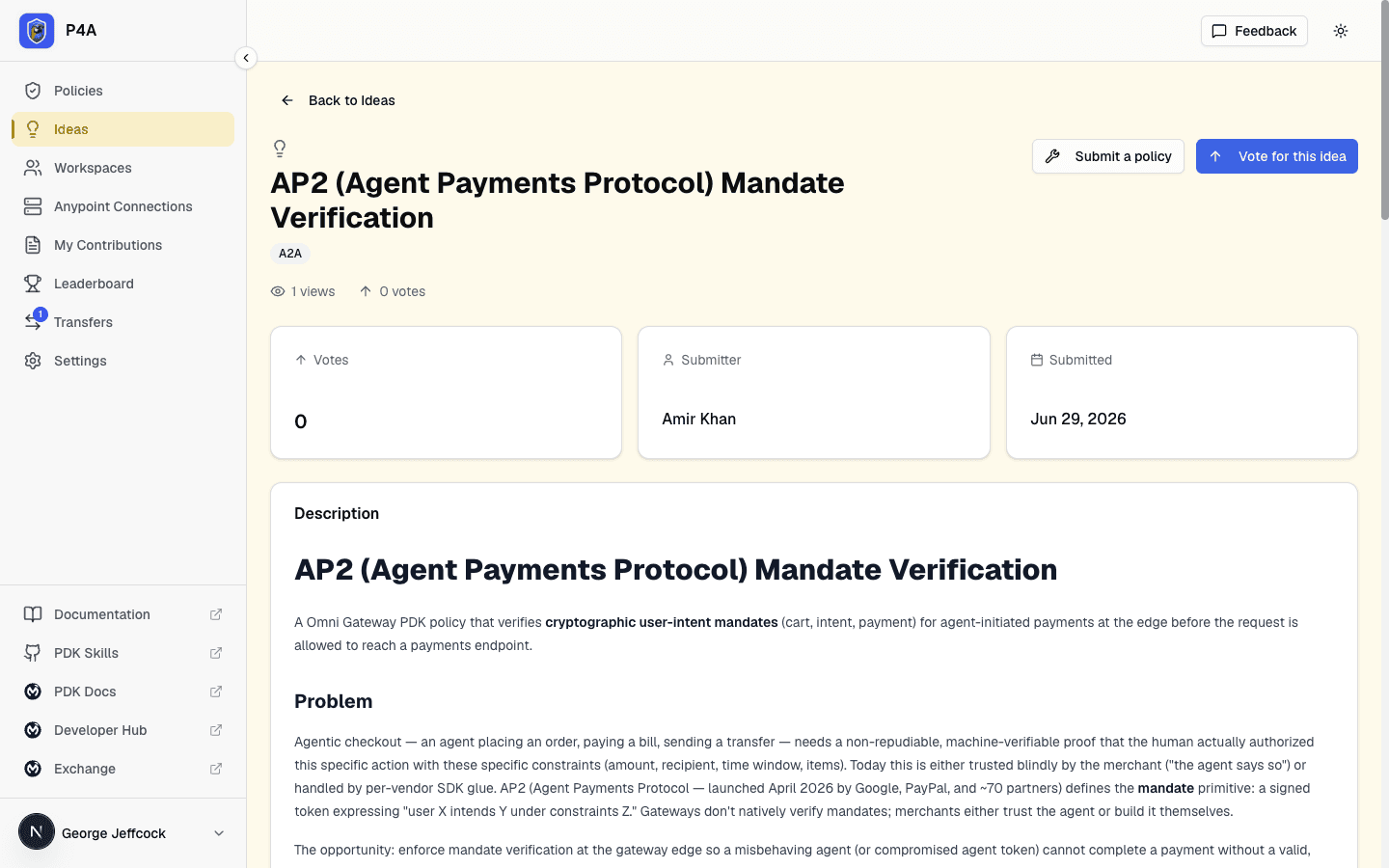
The link is recorded in two phases. A submission may declare it delivers one or more approved ideas, each with a coverage (full or partial). While your policy or ruleset is still under review, the ideas it's declared to deliver are shown as a pending intent — the ideas stay approved and aren't counted as delivered yet. An admin can confirm or adjust the declared set during review. Only when the policy or ruleset is approved and published do those declared links become committed: each fully-delivered (or admin-completed) idea flips to delivered and its original submitter is emailed, while partially-covered ideas show as partially delivered and stay open to further delivery.